
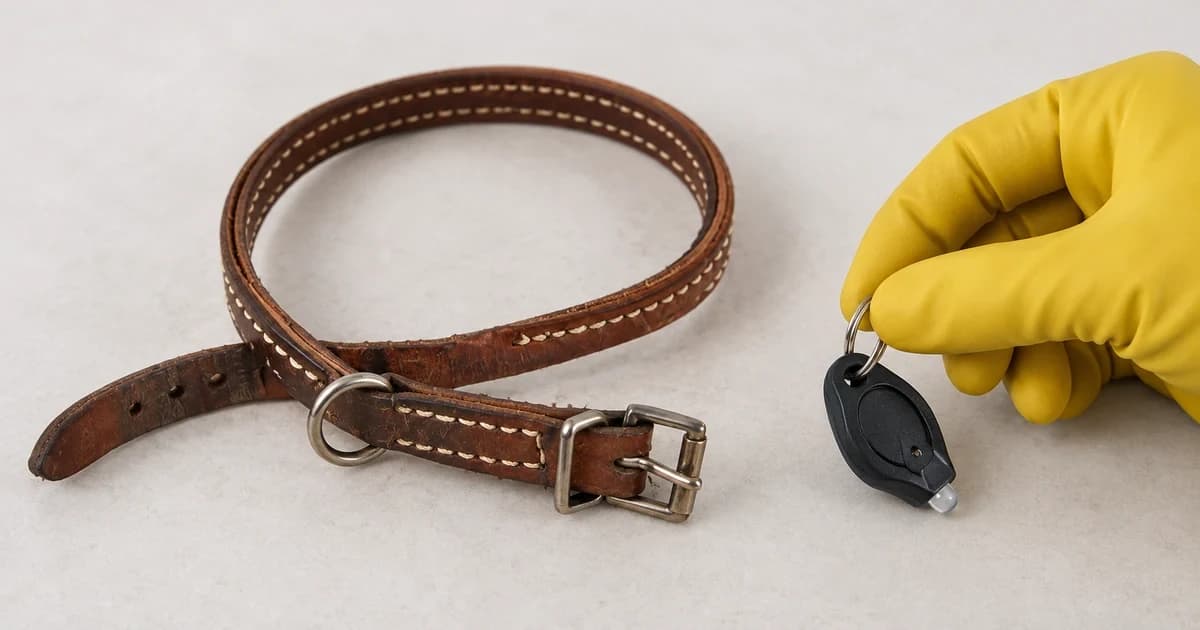
Set up a dog collar light with the collar off your dog first. Identify the exact light, its attachment and its power source, then follow that model's instructions for switching it on. A hanging clip, a strap-mounted light and a light built into a collar can look similar in a listing while needing different setup.
The useful result is a lamp you can operate and an attachment you can inspect. Seeing it illuminate on your table does not establish road visibility, a secure collar fit or a promised battery life.
Identify the light before choosing a cable or battery
Keep the packaging, model number and instructions beside the light. Look for a charging port, an identified battery compartment and the actual attachment supplied. Do not pry an unfamiliar housing open just because another version takes replaceable cells.
Three named examples show why the distinctions matter:
| Documented example | Attachment to identify | Power instructions to keep with that model |
|---|---|---|
| Nite Ize SpotLit Rechargeable Collar Light | Stainless-steel carabiner | Micro-USB charging; its product page says the cable is not included |
| Nite Ize NiteDog Rechargeable Pet Light, Disc-O Tech | Mount that threads onto a strap | Micro-USB charging; its page also says the cable is not included |
| Ruffwear The Beacon | Top Quick Ring or rear Quick Clip, according to its information sheet | Micro-USB charging with an included cable |
These examples come from the current SpotLit Rechargeable page, NiteDog page and Beacon information sheet. A similar name, including an XL or different Disc-O version, is not enough to transfer the instructions.
Resolve an unclear battery specification before opening the compartment
Rechargeable and replaceable-cell versions need separate instructions. The official SpotLit Disc-O Select manual, revision B from 2024, illustrates a genuine problem: its diagrams and English access text identify CR2016 cells, while the French, German and Spanish access paragraphs identify CR2032 cells.
This guide cannot resolve that contradiction from the manual alone. Send the model information and a photograph of its markings. Do not choose whichever code appears most often or assume the thicker-looking cell is interchangeable.
Once the specification is confirmed, follow the matching compartment, polarity and closure instructions. Keep loose new and used cells away from children and pets. A compartment that will not close correctly is a reason to stop using the light, not to tape it together and continue.
Charge a rechargeable model by its own instructions
Match the actual port and specified cable; the word USB does not tell you which connector fits. The examples above use micro-USB, so a USB-C plug is not their substitute. Keep the light off your dog during charging, and stop if the supplied instructions cannot be matched to the port or charger.
Check the manufacturer's charging indication rather than treating illumination as proof of a full charge. SpotLit Rechargeable describes a red indicator changing to green. The Beacon sheet also describes red while charging and green when complete. Those are instructions for those units, not a color rule for every collar light.
Record what your model says the indicator means. Charging-time and run-time figures in a product description are manufacturer claims under specified conditions; they do not establish how long your particular light will operate on a walk.
Match the attachment to the actual collar
With the collar laid flat, identify the clip or mounting route in the instructions. A carabiner needs an appropriate loop or ring; a threaded mount needs the intended strap path. Do not improvise by hooking a light through buckle parts or wedging it into an adjuster.
NiteDog's maker describes attachment to most collars, harnesses and leashes up to one inch wide. Width alone does not establish that every strap thickness or construction fits. For The Beacon, Ruffwear's product page names compatibility with its own collar and apparel light loops; its sheet identifies the top ring and rear clip as distinct attachment options.
After mounting according to the matched instructions, inspect the connection and make sure the light does not block the collar buckle, adjustment path or intended leash connection. Keep any fitted charging cable separate.
Learn the button sequence while the light is off your dog
Try the documented sequence once in a well-lit place where you can see the button and the lamp. Write down how to turn it off before experimenting with other settings.
- SpotLit Rechargeable: its page describes push-button on/off and glow or flash. Check the instructions for your actual version rather than borrowing another model's press count.
- NiteDog Disc-O Tech: its page describes pressing on for the color-changing setting, then holding and releasing to select a color. Pressing again within three seconds selects flash; it also describes a remembered setting.
- The Beacon: its sheet says to hold the power button for one second for on/off, then press to cycle colors and modes. The named modes are always on, slow flash and fast flash.
A long press that selects a color on one light can switch another off. If the result differs from the matching instructions, check the model identification before repeating random button combinations.
Make a short use check and know when to remove it
Before a walk, confirm that the light turns on in your chosen mode, its attachment remains correctly seated and its casing and closure are intact. Once the collar is back on, observe whether the lamp catches on nearby gear or the dog tries to chew it. This observation is a reason to adjust or stop use; it is not an attachment-strength test.
Nite Ize specifies supervised use, no chewing, no use during containment or crating, and discontinuing damaged products. Follow your own light's warnings and remove it when required. A light does not replace the collar's normal fitting checks, restraint equipment or supervision, and it does not provide location tracking or an identification contact record.
The broader pet identification category serves different tasks, including contact information.