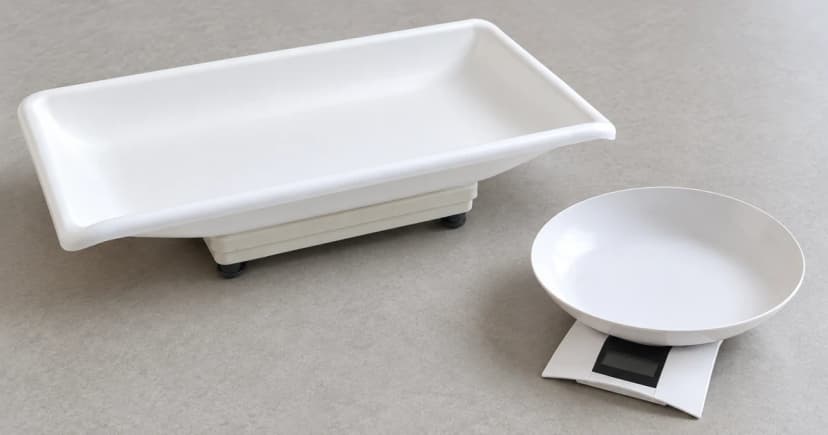

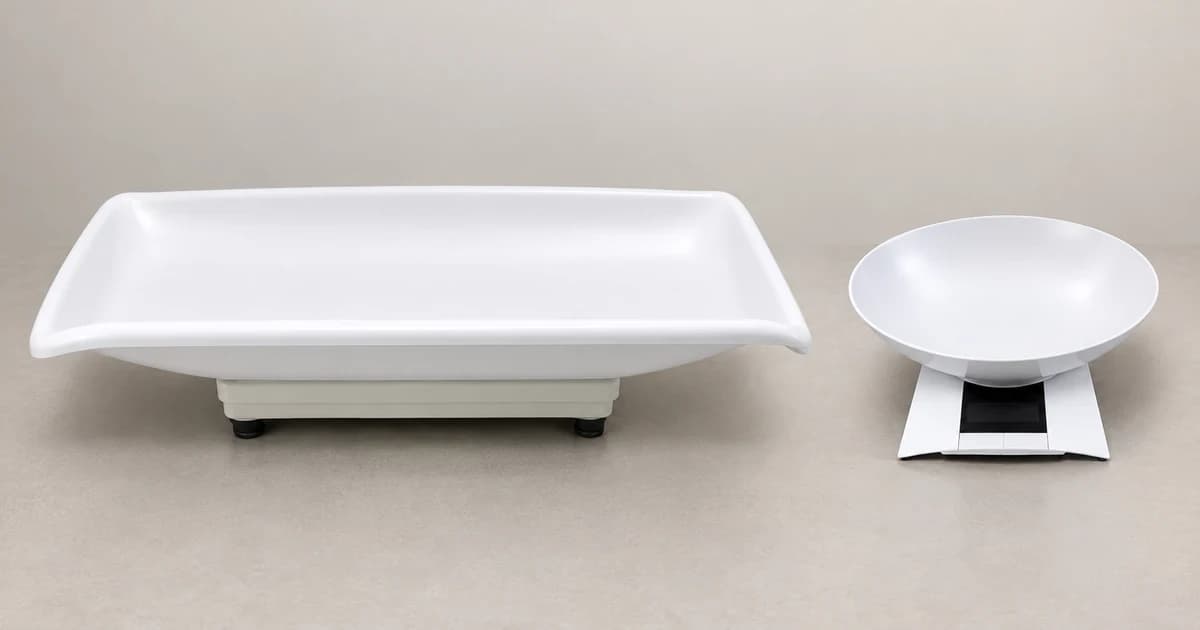
To zero, tare and record a reading on a pet scale, start with the operating manual for your exact model and revision. Check the unloaded zero baseline, select the intended weighing unit, and use the model's tare procedure only when an approved empty tray, mat, or perch needs to be excluded. Record the displayed figure alongside its unit and whether the screen shows an unloaded gross reading, a tared net weight, a held value, or a movement average.
A screen showing zero does not automatically tell you whether the weighing pan is empty or holding a stored tare offset. Likewise, a number that stays frozen on the display may be a previously held result rather than a fresh measurement.
Match the scale to its instructions first
Keep the serial label, model name, and matching manual revision together. Check the permitted platform attachments, the maximum weighing capacity, and the display indicators for zero, stability, net weight, and hold. Follow the placement and startup guide for that specific instrument rather than guessing button functions from a similar-looking scale.
A documented naming conflict shows why checking the exact manual matters. The horizont manual for article 38129052150 prints Model SF-889 on its cover page while naming FS-7704 and listing multiple capacities in its technical specification table. Because those pages do not establish a single verified specification, confirm the exact hardware-to-manual match before treating that PDF as a button-by-button guide.
The manual citations below refer to specific historical revisions to illustrate how display states differ across instruments; they do not imply that every current production run or firmware version behaves identically.
Separate unloaded zero from a stored tare
Start with the weighing platform empty and level as required by your scale's manual. Complete the power-on and zero check before treating `0` as a clean baseline. When an approved empty container, bowl, or stand is needed, follow the model's tare sequence and look for the resulting net-weight indicator. Write down which container or accessory was excluded.
Taring shifts the displayed zero point; it never expands the scale's physical load cell capacity. Never assume a zeroed display means you can ignore the weight of a heavy container when checking whether the combined load stays below the scale's maximum range.
The Adam Equipment CPWplus manual (P.N. 9009, Rev. D2, March 2017) combines zero and tare on a single Tare/Zero key. Its container example stores the tare offset and illuminates Net; lifting the container off then leaves a negative reading on screen. The Unit key cycles only through weighing units enabled in that unit's setup.
Its hold modes also vary by parameter: Hod 1 disables hold, Hod 2 holds automatically once stable, and Hod 3 uses manual hold. How the Print/Hold key behaves and releases depends on the configured serial-transmission and timer parameters—so check that revision's setup menu rather than treating the button as a universal animal-averaging key.
Check whether the result is stable, held or averaged
In the KERN EOB/EOE_L/EOE_XL/EOS operating manual (v3.1, April 2015), pressing TARE zeroes an empty platform, while taring an empty container turns on the NET indicator. Standard weighing waits for the stability symbol before reading, and clearing a stored tare requires unloading the platform and pressing TARE again.
In that April 2015 KERN revision, the HOLD key calculates an averaged mean weight, subject to a minimum load of 1% of the model's maximum capacity, and excessive animal movement prevents the calculation. Once latched, the held figure stays on screen until HOLD is pressed again. Those 1% load and latch conditions apply specifically to that KERN v3.1 manual rather than every pet scale with a Hold button.
If an animal steps off early or movement prevents a valid stability or averaging cycle, log the attempt as incomplete rather than recording a random transient number.
Compare display states before writing down a number
| Display state | What the state means | What you cannot infer from the screen alone |
|---|---|---|
| Unloaded zero | The empty platform has completed startup or zeroing and reads 0 before any container or animal is placed on it. | Does not prove the scale is calibrated or whether an earlier tare offset is stored unless you check that model's Zero/Net indicators. |
| Net weight (stored tare) | The weight of an empty container, mat, or perch has been stored as an offset (for example, showing Net on Adam CPWplus Rev. D2 March 2017 or NET on KERN v3.1 April 2015). | Does not increase the scale's physical maximum capacity, and means you must not subtract the container weight a second time by hand. |
| Held value | A number latched on the display by a manual or automatic hold setting (such as Adam CPWplus Rev. D2 Hod 2 / Hod 3 or a latched HOLD press). | Does not prove the animal is still on the platform right now or that every Hold mode averages movement; check how that model releases a held reading. |
| Averaged / mean reading | A calculated average over a sampling window when model-specific conditions are met (such as KERN v3.1 April 2015 HOLD requiring at least 1% of max load and limited movement). | Cannot be generalized to scales without an averaging function, and will not complete if movement exceeds the manual's threshold. |
Record the value with its context, then clear the state
| Field | What to record |
|---|---|
| Instrument | Actual scale model and manual revision used |
| Result | Displayed number and unit, without adding decimal places |
| Tare | Whether tare was used and which empty accessory it excluded |
| Display state | Stable, held or averaged according to that model's indications |
| Session | Date and any unresolved movement, error message or setup question |
Before the next weighing session, follow your scale's manual to release any held number and clear any stored tare offset with the platform empty. Verify that the screen returns to an unloaded zero rather than assuming a unit switch or auto-off clears everything.
When comparing pet scales, look for accessible operating manuals, compatible trays or perches, and clear Net, Stability, and Hold indicators. A logged weight is an equipment reading rather than a veterinary diagnosis.